

Phone
Should You Charge Your Phone Overnight
Jun
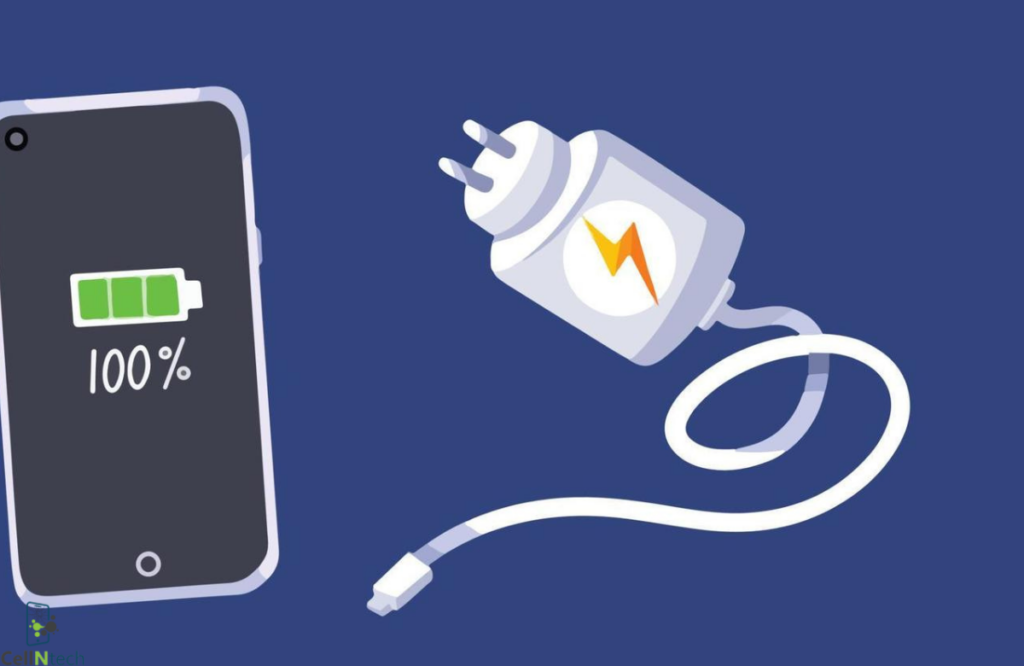
Most modern smartphones are smart enough to stop drawing power once the battery reaches 100%. This makes all-night charging generally safe. However constant exposure to heat & repeated trickle charging can slowly impact overall battery health. Enabling optimized battery settings & avoiding excessive heat can help extend battery lifespan.
Core Takeaways
- Smartphones stop charging once the battery reaches 100%. So leaving them plugged in overnight is usually not dangerous.
- If your phone gets too hot while charging, the battery can wear out faster.
- Features like optimized charging learn your routine and slow down charging overnight to protect battery health.
- Cheap or fake chargers can damage your phone and even become a safety risk. So it’s better to use trusted accessories.
- Don’t always charge your smartphone at 100%. To make your battery last longer, keep it between 20% & 80%.
Is It Safe to Leave Your Phone Charging Overnight?
Overnight charging is usually safe in modern smartphones. These phones have built-in battery management that controls the flow of power in the battery. Once the phone battery reaches 100%, the phone will automatically draw power from the power supply. It means the battery is not being charged up throughout the night.
The bigger concern is heat. A lithium-ion battery that is warm during charging, as well as warm from a hot environment overnight, causes stress. If a phone is cool during charging, it will have better long-term battery health.
Does Overnight Charging Damage Battery Health?
Battery degradation is a real issue but leaving your phone plugged in is not the only reason for battery damage. Lithium-ion batteries lose capacity over time through charge cycles & heat exposure. A charge cycle actually means draining your battery and charging it to 100%; this counts as a full cycle. A battery that stops holding as much power as it used to only means that it has already handled many of these cycles.
Not only that, keeping a phone at 100% charge for long periods puts strain on lithium-ion battery cells. Modern phones now come with built-in trickle charging and a scheduled charging system which reduces strain during long charging sessions.
Built-In Features That Protect Batteries During Overnight Charging
Smartphone manufacturers have invested heavily in protecting batteries during long charging sessions.
Optimized Battery Charging
Both iPhones and Android phones have optimized battery charging systems. They learn your daily charging habits and charge only down to just below 80% before you wake up. This reduces the time the battery is fully charged and significantly reduces stress on the cells over an extended period.
Adaptive Charging Technology
Adaptive charging is another method that uses machine learning to predict when you will unplug your phone. This reduces charging speed at night and brings charging closer to your wake-up. Google Pixel devices were the first to have this feature and many other Android manufacturers have launched similar features.
Automatic Power Management Systems
The phone not only follows charging schedules but also actively tracks the battery’s temperature and voltage during charging. So, if the mobile starts to heat up or the voltage spikes fast, the system slows down or sometimes even stops the charging process.
Best Practices for Charging Your Phone Overnight
If you’re charging your phone overnight, a few smart habits go a long way toward keeping your battery in good health.
Use Original or Certified Chargers
It’s better to use certified chargers that came with your device because they provide the required voltage and current your device needs. Third-party chargers may provide an uneven current to the battery which may cause excessive heating and damage the battery.
Avoid Charging Under Pillows or Blankets
Charging under soft materials like pillows or blankets traps heat, which is one of the fastest ways to wear out a lithium-ion battery. All devices require proper airflow while charging, so it’s best to charge on a hard and flat surface with some space around the device to allow air to circulate.
Keep Your Phone in a Cool Ventilated Area
Do not charge your phone in a high-temperature area. You will notice that your phone stays cooler and charges better when it’s not hidden under covers. Don’t charge mobile phones next to a radiator, in sunny places or in poorly ventilated rooms.
Enable Battery Optimization Features
Enable battery optimization in phone settings. Most phones have these features built-in to help keep your battery healthy while charging overnight, & they usually come on by default.
Replace Damaged Charging Accessories
Rubber-band heads on chargers and broken cables are not only frustrating but also pose a real safety hazard. Oftentimes, broken charging accessories supply intermittent power & can be potentially very unsafe in the event of overheating or worst-case scenario, setting fire. Check whether the cable bends unusually near the connector or if the charger head appears loose. Replace the connector before taking it to sleep at night.
When Should You Avoid Charging Your Phone Overnight?
Knowing when to skip the overnight plug-in protects both your phone & your safety at home.
If the Phone Overheats Regularly
If the phone is hot all the time when it is in use or charging, it is an underlying problem. This adds further heat stress during charging at night. Make sure the phone is checked before being charged overnight or for extended periods throughout the day.
When Using Damaged Chargers or Cables
Damaged chargers or charging cables create an irregular flow of current that the phone battery cannot consistently regulate. This increases the risk of overheating or battery damage. Another reason for battery damage is overnight charging with a damaged accessory. Avoid charging your devices overnight using a cable or charger that appears worn or damaged.
If the Battery Shows Signs of Swelling or Damage
A swollen battery is a serious safety problem & should be addressed quickly. A bulge underneath the display or a curved back panel is typically a symptom of battery swelling. If you notice this, stop charging the phone immediately & contact a specialist for battery replacement.
Conclusion
Devices now come with built-in protections that allow them to manage charging levels and regulate heat. Use a certified charger, return the device to the ambient temperature & enable battery optimization features for long-term protection of your battery.
If you are searching for Should you charge your phone overnight? The simple answer is yes if you follow the right practices. Although if your device has charging issues, battery concerns or needs professional repairs, the experts at Cell N Tech can help keep your phone performing at its best.
Frequently Asked Questions
How many hours can we leave the phone on charging overnight?
You can easily leave your new smartphone plugged in for 7 to 8 hours overnight without worrying. Their built-in battery management system stops active charging once the battery reaches 100%.
Does charging your phone to 100% damage the battery?
Charging your phone 100% daily is not good for your phone battery. It is because 100% use of lithium-ion battery cells causes a slight amount of stress on the cells over time.
Is it better to charge your phone to 80% instead of 100%?
Yes, charging between 20% to 80% doesn’t add stress on your battery cells. Most battery experts recommend this daily use to maintain long-term battery life.