

Gaming Console, Laptop
Where Can You Get a Gaming Laptop Repaired?
Nov
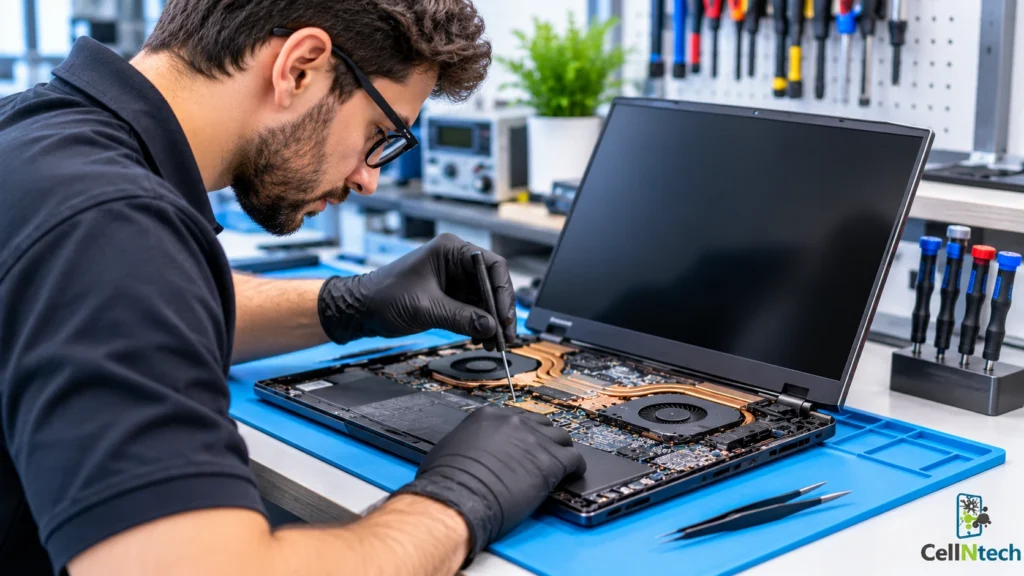
You can get a gaming laptop repaired at specialized gaming laptop repair shops, local computer repair centers, manufacturer-authorized service centers or through mail-in repair services. Gaming laptops are more complex than ordinary laptops. They have powerful graphics hardware and tightly packed cooling systems so the right provider matters.
Quick Answer
Gaming laptop repair services are available from specialized repair shops, local computer repair centers, manufacturer-authorized service centers and mail-in providers. Choose a shop with gaming hardware experience, a clear written estimate, quality replacement parts, and a repair warranty. If your laptop is still under warranty, check the terms first since repairs outside the manufacturer’s network may affect coverage. Always back up your files before drop-off.
Where Can You Get Gaming Laptop Repair Services?
Each option has strengths. The best one depends on the problem, your warranty and how quickly you need the laptop back.
Specialized Gaming Laptop Repair Shops
Some shops focus on performance machines. Their technicians work regularly with high-end graphics, cooling systems and brand-specific designs. This experience helps with faults that are hard to diagnose such as intermittent crashes or sudden drops in frame rate. Ask whether the shop services your brand and model. Ask whether it has handled a similar problem before.
Local Computer Repair Centers
Many laptop problems, including screens, batteries, cooling and keyboards, can be fixed through professional laptop repair services in Calgary. These shops are convenient and often offer quick turnaround. They also allow you to speak to the technician face-to-face. However, not all centers work on gaming hardware so ask directly. A good local shop will check your laptop, explain the fault and give you a quote before doing any work.
Manufacturer-Authorized Service Centers
Some providers are authorized by manufacturers to repair their products. These centers follow the manufacturer’s repair procedures and may be a good option if your laptop is still under warranty. Opening the laptop for internal repairs does not automatically void the warranty. However, unauthorized repairs or damage caused during a repair may affect coverage. Check your warranty terms before deciding. If the warranty has expired, authorized service could be slower or more expensive, so weigh your options.
Mail-In Repair Services
Some providers accept laptops by post or courier. This works if no suitable shop is nearby. Pack the laptop securely, use tracked shipping and insure the package. Ask who pays for shipping both ways and how long the process takes. Also ask how the provider protects your data while the laptop is away. A local shop may be faster for simple repairs because you do not have to wait for shipping.
What Gaming Laptop Problems Require Professional Repair?
Many issues can be fixed at home. Some need tools and experience. Opening a gaming laptop without the right knowledge can cause more damage.
GPU and Graphics Card Issues
Warning signs include screen artifacts, flickering, color distortion, crashes during games and a display that goes black. These can come from overheating, a driver problem or a failing graphics component. A technician should test the laptop to find the cause before replacing anything, using professional computer hardware repair services when necessary. Many gaming laptops have graphics chips attached to the motherboard which can make repair complex and costly. Ask for a clear diagnosis and an estimate for each option.
Overheating and Cooling System Problems
Heat is a common complaint with gaming laptops. Thermal throttling occurs when a laptop reduces processor or graphics chip performance to control heat. Dust buildup can restrict airflow and contribute to overheating. Dried thermal paste can also reduce cooling performance over time. Symptoms include sudden frame rate drops, loud fans and a very hot keyboard area. Cleaning vents and fans, replacing thermal paste and repairing fans are typical professional fixes.
Screen and Display Damage
Cracked panels, dead pixels, lines and backlight failures are frequent repairs. If your gaming laptop develops display lines, see our guide on how to remove horizontal lines on a laptop screen. Gaming laptops often have high refresh rate displays so confirm that the replacement panel matches the original specification. Ask whether the shop can source the right panel and how long it will take. A cheaper panel with a lower refresh rate may disappoint a gamer.
Battery and Charging Failures
A battery that drains quickly or a laptop that will not charge may need a new battery, charger or charging port. Gaming laptops draw a lot of power so use a charger that meets the manufacturer’s rating. A technician can test each part to find the real fault before you buy replacements.
Motherboard and Keyboard Problems
A laptop that will not power on, restarts at random or has dead ports may have a motherboard fault. These repairs are among the most complex. Keyboard faults are common too, especially after spills. Some gaming laptops have per-key lighting or specialized keyboard designs which can affect repair options. Ask about parts availability and cost before approving the work.
How Do You Choose the Right Gaming Laptop Repair Shop?
A good repair experience depends on clear communication and fair terms. Look closely before you commit.
Check Experience With Gaming Hardware
Ask how many gaming laptops the shop services and whether it works with your brand. Find out whether its technicians have handled your model or a similar problem before. Listen for specific answers. Read reviews for mentions of gaming systems and cooling repairs. Vague replies are a warning sign.
Review Diagnostic Services and Repair Costs
Find out whether there is a diagnostic fee and whether it is credited to the repair. Get a written estimate before work starts and make sure the shop asks for your approval before exceeding it. Compare quotes from more than one shop and review our guide to laptop repair costs in Calgary to understand the factors that affect repair pricing. Be cautious of a firm price for a complex problem quoted without inspecting the laptop.
Ask About Replacement Parts
Parts quality affects performance and reliability. Ask whether the shop uses original, aftermarket or refurbished parts. Be wary of a shop that will not explain parts quality. For displays and batteries, ask whether the part matches your laptop’s specifications.
Compare Turnaround Times and Warranties
Get a clear estimate of how long the repair will take and what could cause delays. Ask what the repair warranty covers, how long it lasts and what happens if the problem returns. Keep your invoice. A written warranty on the specific work performed is a good sign.
What Should You Do Before Taking Your Gaming Laptop for Repair?
A few steps protect your data, your games and your money.
Back Up Important Files
Copy your documents, photos, save files and game settings to an external drive or cloud storage. Repairs can involve resetting or replacing storage. If your game saves are stored locally, check that they are included. If the laptop will not start, tell the shop so they can advise you on data recovery.
Check Existing Warranty Coverage
Look up your warranty status and read the terms. If the laptop is covered then contact the manufacturer first. Find out whether repairs by another provider would affect the warranty. If the warranty has expired, a local shop may be able to complete the repair faster and at a lower cost.
Document the Laptop’s Issues
Write down what was wrong, when it started and what you were doing at the time. Note any error messages and take photos or video of any symptoms you see such as screen artifacts or error messages. Take photos of the physical state of the laptop including scratches and dents. Clear notes will help the technician diagnose the problem much faster.
Remove Personal Accessories
Take out any memory cards, USB devices, external drives and cables you don’t need to leave. Sign out of personal accounts if the shop advises you to do so. Avoid sharing your passwords unless access is necessary for testing. Keep the charger unless the shop specifically needs it for testing. Only leave accessories that the technician needs to complete the repair.
Conclusion
You have several options for gaming laptop repair including specialized shops, local repair centers, manufacturer-authorized service and mail-in providers. Match the provider to your problem and your warranty. Look for gaming hardware experience, a written estimate, clear information about parts and a repair warranty. Back up your files, document the problem and protect your accessories before drop-off. With these steps, you can find reliable gaming laptop repair services and get back to playing.
Need gaming laptop repair? Bring your laptop to CellNtech. Contact us today to discuss your repair needs and get a free quote.