

Phone
Tips for Protecting a Foldable Phone Hinge
Sep
You can protect a foldable phone hinge through careful handling and simple daily habits. Keep dust away, close the device gently, and prevent hard impacts whenever possible. The flexible display also needs attention, as hinge issues and screen damage often overlap. Weather, moisture, trapped debris, and poor cleaning habits can also cause trouble. A little care now can help prevent frustrating repairs later. Knowing how to protect a foldable phone hinge can help extend its lifespan and keep the device working smoothly.
Key Takeaways
|
How to Protect a Foldable Phone Hinge: 10 Tips to Prevent Damage
Foldable phones handle thousands of opening and closing movements during normal use. However, their moving parts and flexible displays need slightly different care than traditional smartphones. These ten habits can help you protect both areas without turning phone care into another daily chore.
1. Use a Foldable Phone Case With Hinge Protection
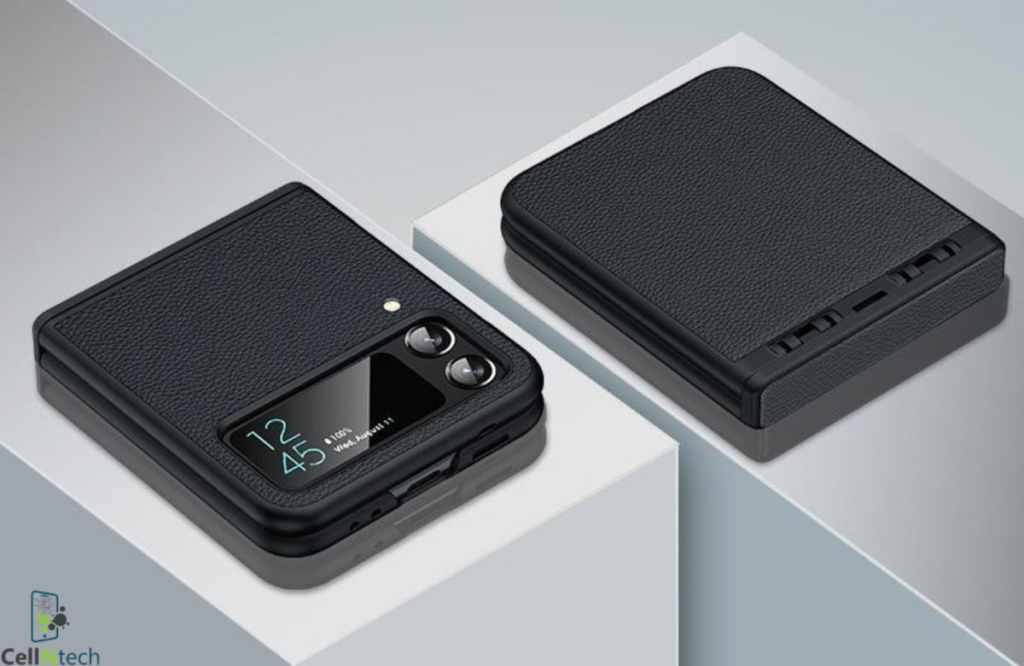
A regular case may protect the corners while leaving the hinge exposed. Choose a model-specific case that covers or shields this moving section during drops. Good cases should also fit securely without rubbing against the hinge or restricting normal movement. Raised edges can add useful protection around exposed screens.
Avoid bulky cases that make opening the phone awkward or uneven. If the case shifts when you unfold your device, it may create another problem.
2. Keep Dust, Sand, and Small Particles Away From the Hinge
Tiny particles can cause surprisingly expensive problems inside a foldable device. Sand, grit, and construction dust may collect around hinge openings or flexible display edges. Over time, repeated movement can push those particles against sensitive internal areas.
Avoid placing your foldable directly on beaches, dusty workbenches, or dirty surfaces. Check pockets and bags for loose debris before storing it. Most importantly, never push visible dirt deeper into hinge gaps when cleaning them.
3. Check the Inner Screen Before Folding Your Phone
One quick glance before closing your phone can prevent serious screen damage. Coins, crumbs, keys, earbuds, and other small objects create pressure when trapped between flexible displays. Even a tiny grain of hard debris can leave marks.
Make checking the screen a simple habit before folding. You don’t need to inspect every millimetre carefully. Just confirm that nothing solid sits between the two sides before applying closing pressure.
4. Fold and Unfold the Phone Gently
Modern foldable hinges are built for repeated movement during everyday use. Still, there’s no benefit in snapping your phone shut aggressively. Use smooth pressure from the sides while opening or closing the device.
If the hinge suddenly feels stiff, stop instead of forcing movement. Unexpected resistance could come from debris, impact damage, or misalignment. Pushing harder may turn a manageable problem into damaged hinge parts or a cracked flexible display.
5. Avoid Pressing Hard on the Flexible Inner Display
A foldable inner display isn’t identical to conventional smartphone cover glass. Its flexible layers need to bend repeatedly without breaking. Because of that design, sharp objects and concentrated pressure can cause damage more easily.
Avoid pressing the crease with fingernails, pens, keys, or unsupported styluses. Don’t try flattening a visible crease by pushing against it either. That crease forms naturally on many foldables and usually doesn’t require manual correction.
6. Clean the Hinge Area Safely
Good cleaning removes dirt without forcing it somewhere more damaging. Start by switching off your phone and wiping exposed hinge surfaces using a soft microfiber cloth. Gentle passes usually remove fingerprints, lint, and surface dust effectively.
Avoid inserting pins, brushes, toothpicks, or other tools inside narrow hinge openings. Don’t spray cleaning liquid directly around moving sections either. Strong compressed air can also push loose particles farther inside instead of removing them safely.
7. Protect Your Foldable Phone From Drops and Impact
Drops remain one of the biggest risks for any folding mechanism. A hard impact can affect hinge alignment even when the phone looks fine afterward. Damage may also appear as uneven opening, unusual gaps, display problems, or new resistance.
Use a protective case and maintain a secure grip while unfolding. Avoid balancing an open foldable near table edges. Since these devices become wider when opened, one careless movement can send an expensive phone straight toward the floor.
8. Keep Your Foldable Away From Extreme Conditions
Weather can affect more than your phone’s battery percentage. Very low temperatures, excessive moisture, and rapid environmental changes may influence displays, adhesives, seals, and moving components. Calgary owners should pay particular attention during cold winters and snowy conditions.
Protect It From Cold Temperatures
Calgary winters can become harsh enough to make electronics unhappy quickly. After prolonged cold exposure, avoid repeatedly folding and unfolding your phone immediately. Let the device return gradually toward normal indoor temperature first.
Don’t place a freezing phone beside a heater or radiator. Sudden heating can create additional stress while condensation may form around openings. Gentle temperature changes provide a safer approach for batteries, screens, adhesives, and hinge components.
Avoid Excessive Moisture and Water Exposure
Water resistance doesn’t mean your foldable should become a swimming companion. Rain, melting snow, wet gloves, spills, and condensation can still create problems around openings and damaged seals.
Dry moisture using a clean, soft cloth. Avoid charging the device while ports remain wet. Water resistance can also decline after drops, repairs, or normal wear. Treat the rating as extra protection rather than permission for unnecessary exposure.
9. Avoid Carrying Your Foldable With Metal Objects
Your pocket may seem harmless until keys start rubbing against expensive hardware. Coins and other metal objects can scratch surfaces or create unwanted pressure while your device moves inside a bag.
Keep the phone in a separate pocket or padded compartment whenever possible. This habit also reduces the chance of small objects reaching the inner display before closing. A dedicated storage spot costs nothing and can prevent surprisingly annoying damage.
10. Use Accessories That Improve Handling
Better grip can prevent damage before protective materials ever become necessary. A compatible wrist strap, grip accessory, or non-slip case can make larger foldables easier to hold while opening one-handed.
Choose accessories designed for your exact device and case setup. Poorly positioned attachments may block hinge movement or interfere with wireless charging. The best accessory should make handling easier without creating pressure against the frame or flexible display.
Related Foldable Phone Protection Questions
Foldables often raise questions that traditional smartphones never created. Understanding cases, screen protectors, hinge durability, charging, and unusual noises can help you separate normal behaviour from warning signs worth investigating.
Do Foldable Phones Need Special Cases?
Yes, foldables generally work best with cases designed specifically for their shape. These cases accommodate moving sections, separate frame pieces, camera areas, and hinge clearance without preventing the device from opening normally.
Look for accurate model compatibility rather than simply choosing similar dimensions. A poorly fitting case may slide around the frame or rub against moving components. Dedicated hinge protection becomes especially useful when your phone spends plenty of time outside your home.
Can Dust Damage a Foldable Phone Hinge?
Yes, dust and fine particles can cause trouble for certain foldable designs. Sand and gritty debris deserve particular attention because they can scratch soft display layers or enter narrow spaces around moving components.
Dust protection differs between phone models and generations. Therefore, check your specific device rating instead of assuming every foldable offers identical resistance. Even with stronger protection, keeping the hinge clean reduces unnecessary exposure and wear.
Should You Remove the Factory Inner Screen Protector?
Usually, you shouldn’t remove the factory-applied inner screen protector without checking manufacturer instructions. Foldable protectors are designed to move repeatedly with the flexible screen while providing another layer against scratches and debris.
If the protector bubbles, cracks, lifts, or separates near the crease, don’t automatically peel it away. Professional replacement may provide a safer option. Installing an unsuitable third-party film can also place unexpected stress on the flexible display.
How Many Times Can a Foldable Phone Hinge Be Folded?
There isn’t one fold-count number that applies to every foldable phone. Manufacturers test different hinges under controlled conditions before releasing each model. Those laboratory results can demonstrate durability without guaranteeing an exact personal lifespan.
Real-world usage includes dust, temperature changes, accidental drops, uneven pressure, and different folding habits. Someone opening a phone fifty times daily also creates different wear than an occasional user. Careful handling matters more than obsessively counting every fold.
What Should You Do If Your Foldable Phone Hinge Makes Noise?
A faint sound during folding doesn’t always indicate immediate damage. Some hinges and flexible materials naturally produce subtle sounds as parts move. However, sudden grinding, crunching, clicking, or increased resistance deserves closer attention.
Stop forcing the hinge if movement feels different. Check the visible area for debris without inserting tools inside. When noise continues or the device no longer opens evenly, professional inspection can identify whether the hinge, frame, or display needs attention.
Can a Foldable Phone Case Affect Wireless Charging?
Yes, some cases and accessories can reduce wireless charging performance. Thick materials, metal components, badly positioned magnets, and certain grip attachments may prevent correct alignment between the phone and charging pad.
Choose cases that specifically advertise wireless-charging compatibility for your model. If charging becomes slow or unreliable after installing a case, remove it temporarily and test again. That quick comparison can reveal whether the accessory causes the problem.
Conclusion
Protecting your foldable phone hinge mostly comes down to careful everyday habits. Keep dust and hard objects away, fold the device gently, and use proper impact protection. You should also respect the flexible inner screen because display damage can affect the entire folding experience. Cold Calgary weather, moisture, and careless cleaning deserve attention as well. When your hinge suddenly becomes stiff, noisy, uneven, or difficult to open, forcing it usually makes matters worse. Early inspection can help identify damage before additional parts become affected.
If your foldable phone develops hinge, screen, or frame problems, CellNTech can inspect the device and recommend suitable repair options for Calgary customers. Contact us now!